Overview
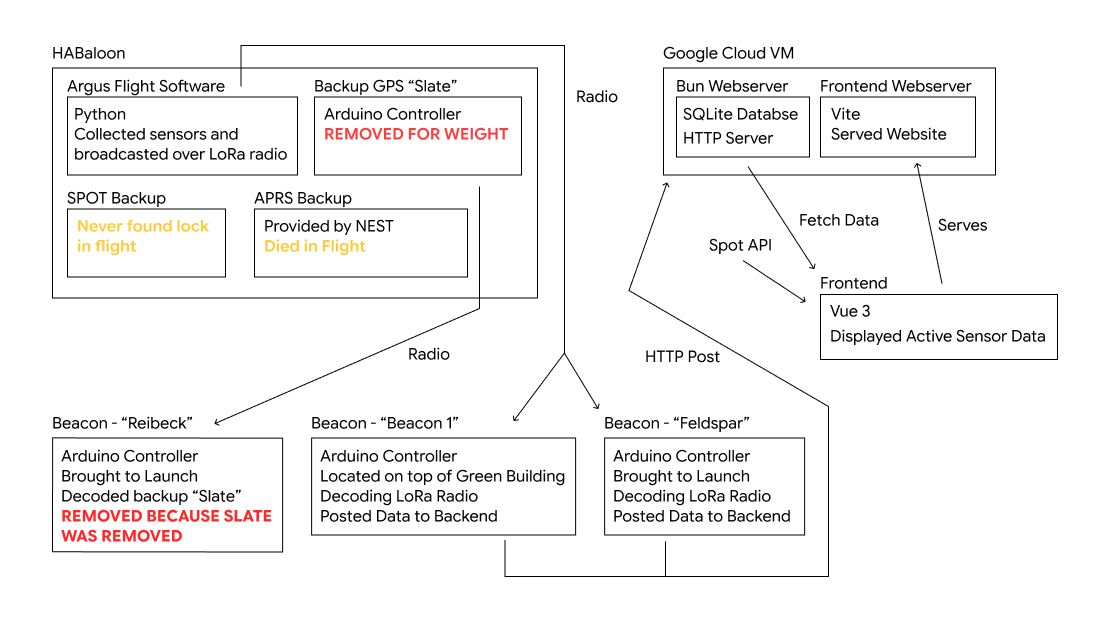
Argus Flight Software
The flight software that was loaded onto the main ARGUS board was written in micro python. The code can be found here: https://github.com/MITSatellite-Team/FSW-mainboard. It uses CMU's build scripts.
Building to the Board
Before building the flight software to the ARGUS board, you must be connected to the board over USB-C and the board's file system must be named "ARGUS".
...
To build and move the flight software to the ARGUS board, run:
./run.sh
Debugging the Board
To view the stdout stream from the board (where python print is displayed) and restart the board's software I used tio https://github.com/tio/tio/. You can also use minicom, but I had issues on my computer getting minicom to work. Run tio with the path to the device:
...
Once you've connected properly with tio, you should see debug output. You can stop the flight software with CTRL+C, and then restart it with CTRL+D.
Scripts
We can run temporary python scripts on the board for testing specific functionality. First, we need to move the script to the board by copying the file to the root directory of the board's file system while still connected to the board. Once the script is on the board, we can use tio to execute the script and view the stdout stream (where python print is displayed).
...
exec(open("NAME_OF_FILE.py").read()Main Flight Software
flight/main.py is the what runs when the board boots up. We modified this