...
Group Designs and Storyboards
Tiny Screen
...
...
/Phone
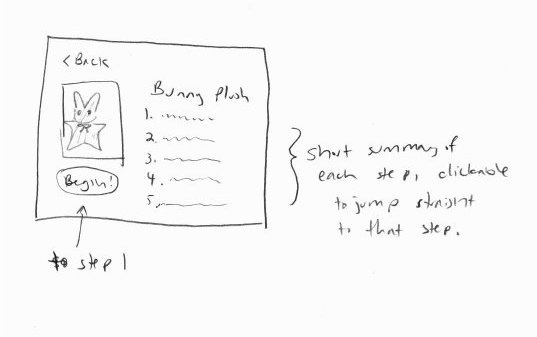
Because sewing is a handcraft, it may not be convenient to have a computer with you to refer to at all times. Something smaller and more portable may be desired. Therefore, one of our designs is for a smaller screen or smartphone-like device.
| Panel |
|---|
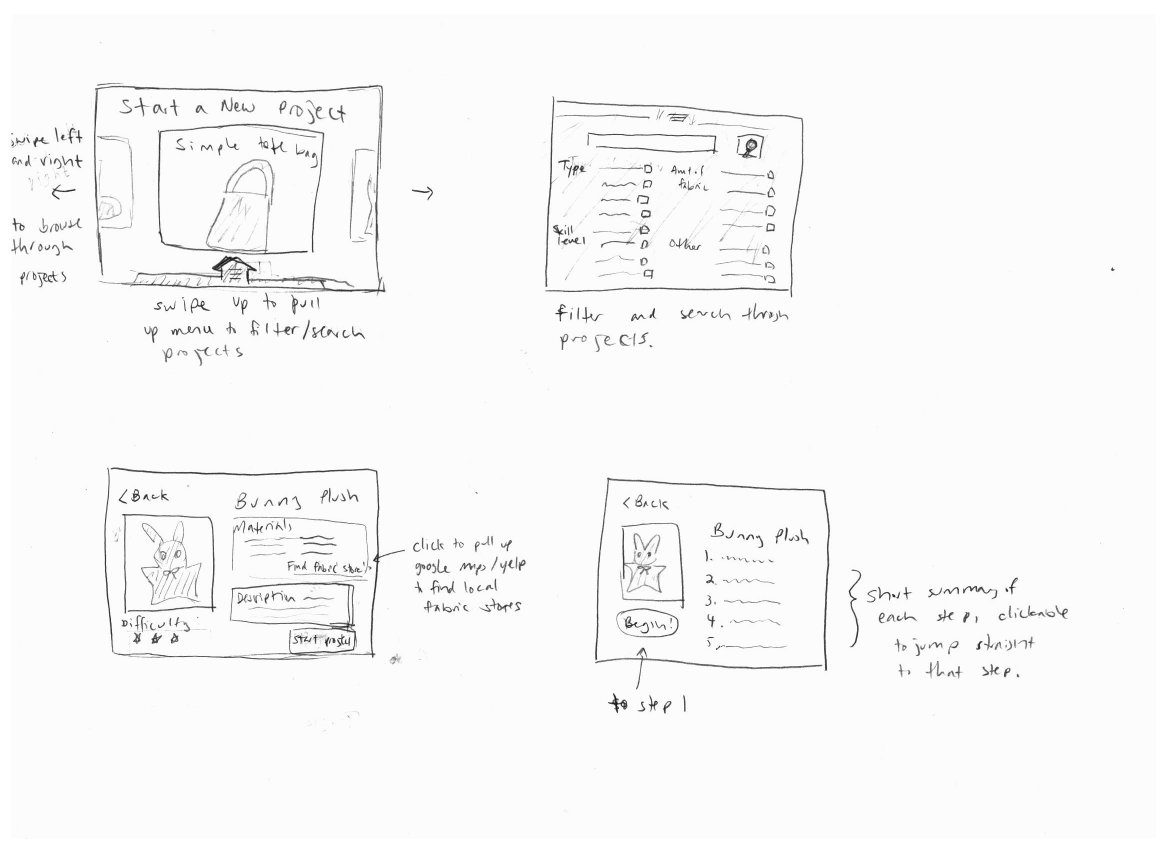
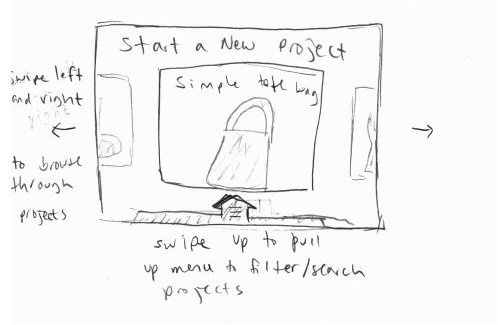
When you decide to start a new project, you see this screen where you can swipe left and right through various projects to browse through them. Tapping on the project image takes you to a more detailed description of the project. To make browsing easier, so that you don't have to linearly go through all of the projects, you can swipe upwards to pull up a menu where you can filter or search through all of the projects to find one that more closely matches your needs. |
| Panel |
|---|
The pull up menu for searching/filtering through projects.This lets you filter the projects to browse through by kind of project (plushie, clothing item, etc), skill level, etc. You can also search through the projects by name. There should be autocomplete that pops up as you type it. |

| Panel |
|---|
|