...
3. Similar to #2, with a focus on user feedback. Instead of warnings/additional help provided by us, have user generated comments that can be upvoted/downvoted reddit-style. In this way, the most helpful comments/annotations about this step, as generated by users who have done this before, can be easily seen by the user.
Kaleb
1. This is meant for visually impaired or elderly people. There are no user accounts and the majority of the instruction is contained in images, though there is text available if desired. People can but in some terms and the website will magically find a best match for them. Alternately if they want a bit more detail they can go to the search page and see all projects within the each of the fields listed in the dropdown.

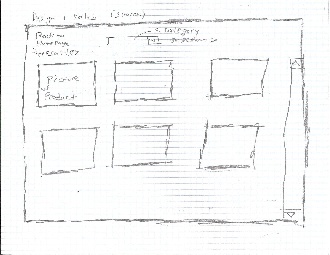
2. This design has a minimalistic first page with pictures of projects, a search page with filters and a step by step walkthough page with comments, protips and other information. Basic layout


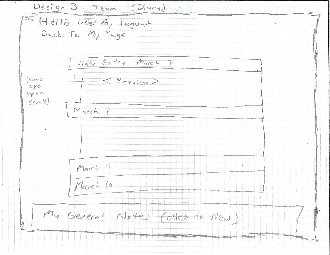
3. This design is more message board like. You see a list of projects at all times and you get a front page/recommended project when you come to the page. When you're working on projects you see a step by step walkthrough. At all points you can chat/leave comments. Perhaps reddit style.
...
Group Design Sketches and Storyboards
Typical Website
| Panel |
|---|
|

...
| Panel |
|---|
|

...
Analysis of Typical Website design:
...
Learnability:
The layout is consistent with other websites that offer similar services. For example, the links for site navigation are located at the top of the page. Checkboxes are used for the filters to suggest that multiple selections can be either included or excluded from the search. Proper affordances are given for the site's functionalities, such as hypertext for links and the "Write text here" with a blinking cursor for textboxes. This external consistency with other websites gives our design a lot of learnability. The learnability could be improved by better indicating to the user how to use certain features like looking at other users' reviews of a project.
...
The flashing warning button in the working through steps screen is there to help the user sew more safely. The alert button should be bright red and flash briefly to remind the user to check, so that they have a reminder to help avoid disastrous and annoying mistakes. It does not pop up automatically, because that would reduce efficiency and cause the user to perhaps automatically ignore the alert. Outside of this, there is not much safety in this design. Part of this is because the user does not make any changes to this thing itself other than navigation, which can be easily undone by going back (or forwards, like on the working through steps screen). If you accidentally start a project that you don't want to do, or want to drop a project partway through, you should be able to delete the project from the active projects screen. In order to make this more safe, a single-level undo should be added. Progress can be easily changed on the list-of-steps screen, but this too can be easily undone.
Group-Based Website Design
...
This design of ours focuses on facilitating actual communication between groups of sewers interested in the same project.
| Panel |
|---|

...
The front page gets you interested in the projects but doesn't have much value towards the task of sewing because we want only logged in users to be able to see what projects are currently available. This may mitigate some privacy concerns users may have. |
| Panel |
|---|
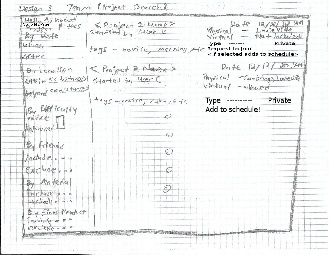
Because this may be one of the most important first steps the user can take to get sewing his is the first thing logged in users see. From here they can find a project and add it to their schedule and filter projects by various criteria. All pages allow you to return to the main page. |
| Panel |
|---|
This page is your homepage. You can navigate to any other functions on this website. You can review past and future projects, you can view the notes you've accumulated so far, you can add friends and go back to the find projects page. |
| Panel |
|---|
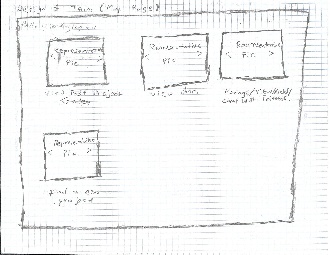
Review Projects: You can view the projects you've done in the past, including the pictures and notes, or you can look at upcoming schedules and add notes for them. |

| Panel |
|---|
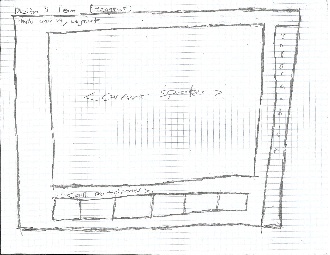
Hangout: Google Hangout-esque screen where you can hold a sewing circle and sew en masse. The current speaker gains central focus. |
| Panel |
|---|
In this hangout you can click on the information tavb to get more information about a particular step including general information and common errors on that step. |

| Panel |
|---|
Friend Search: |

...
You can add friends from this screen. Later when you return to the project search screen, you can filter by inclduing/excluding friends. |
| Panel |
|---|
Diary: A place where your notes on various projects will be collected. You can review things you had learnt in the past here. |
Analysis of
...
Group-Based Website design:
Learnability:
This website is very learnable because everything you need to remember is on your main page. All you have to do is remember to go there and read the options there. Long term memory is not required.
...