...
1. A tiny screen design, for smartphones/etc. Goes through the instructions step by step and has buttons that you can click to pull up alerts, additional help, etc.
2. Same as above, but not for a tiny screen. Full description and warnings, additional help on the side, instead of hidden in buttons/swipe menus. Also more obvious navigation between steps along bottom of page.
3. Similar to #2, with a focus on user feedback. Instead of warnings/additional help provided by us, have user generated comments that can be upvoted/downvoted reddit-style. In this way, the most helpful comments/annotations about this step, as generated by users who have done this before, can be easily seen by the user.
...
1. This is meant for visually impaired or elderly people. There are no user accounts and the majority of the instruction is contained in images, though there is text available if desired. People can but put in some terms and the website will magically find a best match for them. Alternately if they want a bit more detail they can go to the search page and see all projects within the each of the fields listed in the dropdown.
...
2. This design has a minimalistic first page with pictures of projects, a search page with filters and a step by step walkthough page with comments, protips and other information. Basic layout.


3. This design is more message board-like. You see a list of projects at all times and you get a front page/recommended project when you come to the page. When you're working on projects you see a step by step walkthrough. At all points you can chat/leave comments. Perhaps reddit style.
...
| Panel |
|---|

| Panel |
|---|
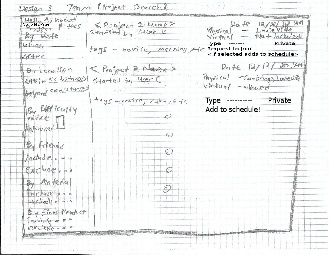
Because this may be one of the most important first steps the user can take to get sewing his is the first thing logged in users see. From here they can find a project and add it to their schedule and filter projects by various criteria. All pages allow you to return to the main page. |
...
There are two steps to finding a project. Logging in and searching. Similarly, to do any of the features you only need to go through the main page so there are no long chains. That being said it may be inefficient to always have to go through the main page and it may have been better if all pages were linked to each other, but that may cause a learnability issue. Perhaps it could be useful a useful feature for advanced users.
...
To mitigate safety concerns we should back up all the user's data and give them intrusive confirmation boxes for when they want to do something permanently destructive (concerns are deleting a project, deleting notes, deleting images, etc.),