Design
Our final Sew Together design is a website that helps people who are new at sewing find easy projects with step-by-step tutorials that are all in one place. The two main parts of Sew Together are the project search, which helps users find a project suited to their needs, and the project instructions themselves.
|
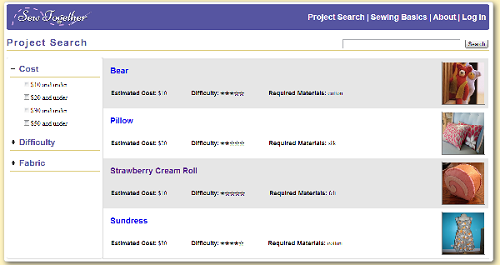
The project search page allows the user to search through the project tutorials that are available on the site and filter them by relevant criteria, such as the estimated cost of the project and the difficulty. |
|
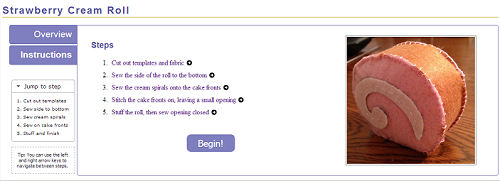
Each project tutorial has its own subsection, which consists of an overview page and a series of instructions, broken down step by step. |

|
Each step in the instructions has its own page, which breaks down the task required for the overall sewing projects into smaller steps that are more manageable for a beginning sewer. Before seeing any of the individual tasks, an overview instructions page is show, so users can look over all of the steps involved in the project before beginning. |
|
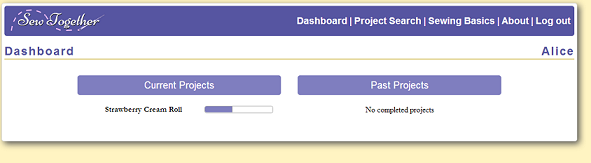

| Another comment on the heuristic evaluations was that there should be a way for the user to return to the step that they left off on. We added this feature to our final design. If the user is logged in, they can keep track of currently active and completed projects. This is visible on the user's dashboard. By clicking on the project in the dashboard, they can jump to where they left off. When a user completes a step, they can quickly check it off before moving to the next step.
These features are meant to increase efficiency for users, but because they are not fundamental to our purpose of helping beginners to sewing, we decided that a user could choose not to create an account and log in. In that case, they can still access the main areas of the site. |
High-Level Implementation
When we translated our code from pure front-end to a backend supported system we did not move all of our code (especially because we focused on the front end).
The search for projects and sewing help topics uses front end javascript. The project search terms for those pages and the various variables are stored in javascript. We do not allow users to upload projects, so this solution works for us for now. User accounts are backed by a backend.
When a person clicks to save a project the step after the current is saved. When a user later checks the project page if the current step is less than the saved step they see a checked off symbol.
If a user is logged in they can add notes. Notes record what section of what project they're in and who made them among others.
Pages that users are not allowed to access have been blocked off from the back end (for example a list of all users).